Live on TradingView · Invite-only indicator

Stop guessing.
Trade the signal.

Marketsbeater™ plots clean entries, exits, and trend shifts directly on your TradingView chart — so you can act on a plan instead of a hunch. Any market, any timeframe.

Cancel anytime · Access within minutes of signup
Signals lock on close Real-time signals Stocks · Futures · Crypto · FX
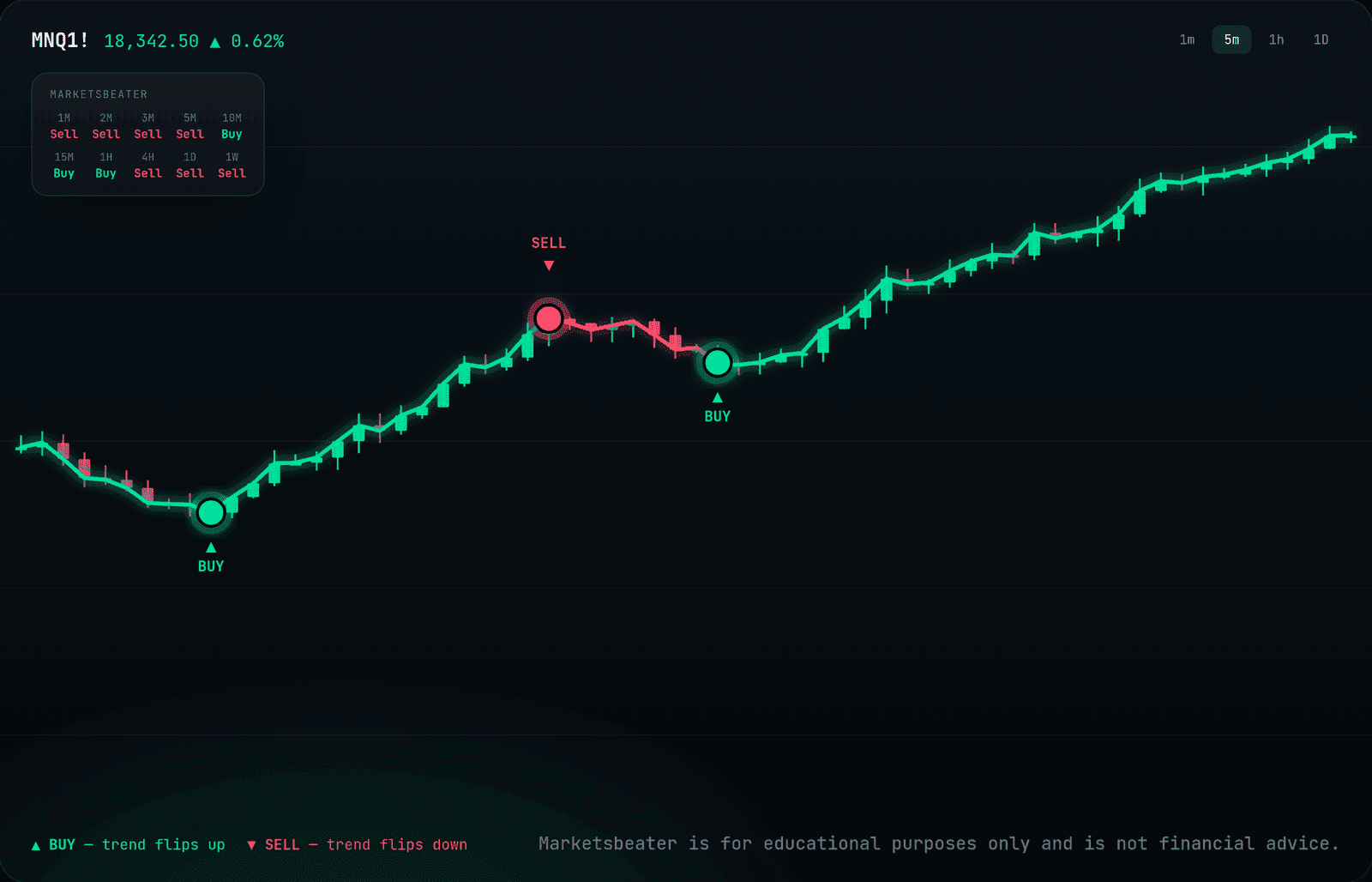
Marketsbeater indicator on a chart — trend line with Buy and Sell markers

Chart shown for illustration. This is not financial advice and is for educational purposes only.

MNQ 18,342.5 0.62%MES 5,561.25 0.41%MGC 2,418.9 0.28%NQ 18,355 0.71%AAPL 231.4 0.55%TSLA 248.1 1.12%BTC 67,210 0.89%ES 5,562 0.34%SPY 553.8 0.22%QQQ 471.2 0.47%MNQ 18,342.5 0.62%MES 5,561.25 0.41%MGC 2,418.9 0.28%NQ 18,355 0.71%AAPL 231.4 0.55%TSLA 248.1 1.12%BTC 67,210 0.89%ES 5,562 0.34%SPY 553.8 0.22%QQQ 471.2 0.47%
What it does

Everything you need to read the move

One indicator that removes the noise and shows you the trade — no juggling ten overlays, no second-guessing.

Clear entries & exits

Buy and sell markers print in real time when the trend shifts — no interpretation required. You see the signal, you make the call.

Multi-timeframe confirmation

Reads higher-timeframe direction so your entries line up with the bigger trend instead of fighting it. Trade with it, not against it.

Signals that reach you

Set alerts on Marketsbeater right inside TradingView and get pinged on desktop, mobile, or email the moment a signal fires. Never chart-watch all day again.

Signals lock on bar close

Once a bar closes, its signal is final — it isn't redrawn or moved afterward. The marker on a past bar is the one that printed live, not one added with hindsight.

The line & signals

One line for the trend

Marketsbeater plots a line that follows the trend — it runs green while momentum is up and red when it flips down. The moment the trend turns, it prints a clear Buy or Sell marker right on the candle, so you always know which way the market is leaning without stacking a dozen indicators.

  • Green line means uptrend, red line means downtrend
  • A Buy or Sell marker the instant the trend flips
  • Signals lock on bar close — they don't repaint
BUYSELL

One line for the trend — a marker the moment it flips.

One job, done well

Marketsbeater is a trend indicator — nothing else.

It has one purpose: find the trend and tell you which way it's pointing. It is not a reversal indicator, not an oscillator, not a magic top-and-bottom picker. It won't try to call the exact turn before it happens — it reads the direction the market is actually moving and prints a clear Buy or Sell when that direction shifts. If you want a clean, honest read on the trend, that's exactly what it's built to give you.

Who it's for

Built for every kind of trader

A trend is a trend on any timeframe and any style. However you trade, Marketsbeater gives you the same clear read on direction.

Scalpers

In and out in minutes. See the micro-trend on the lowest timeframes so you're scalping with the flow, not against it.

Day traders

Trade the session with a clear direction. Know whether the intraday trend is up or down before you commit to a position.

Swing traders

Hold for days to weeks. Catch the meat of a multi-day move and stay in it until the trend actually turns.

Position traders

Thinking in weeks and months. Use the higher-timeframe trend to stay on the right side of the bigger picture.

Trend & momentum traders

This is home turf. Ride established trends and add with confidence while direction and momentum stay aligned.

Long-term investors

Buy and hold with better timing. Use the weekly and monthly trend to build positions when the bigger direction is on your side.

Short sellers

Downtrends are trends too. Spot when direction flips down and trade the drop with the same clear signals.

New traders

Just getting started? One clean line and clear Buy/Sell markers cut through the noise while you learn to read direction.

Multi-timeframe

Every timeframe, one glance

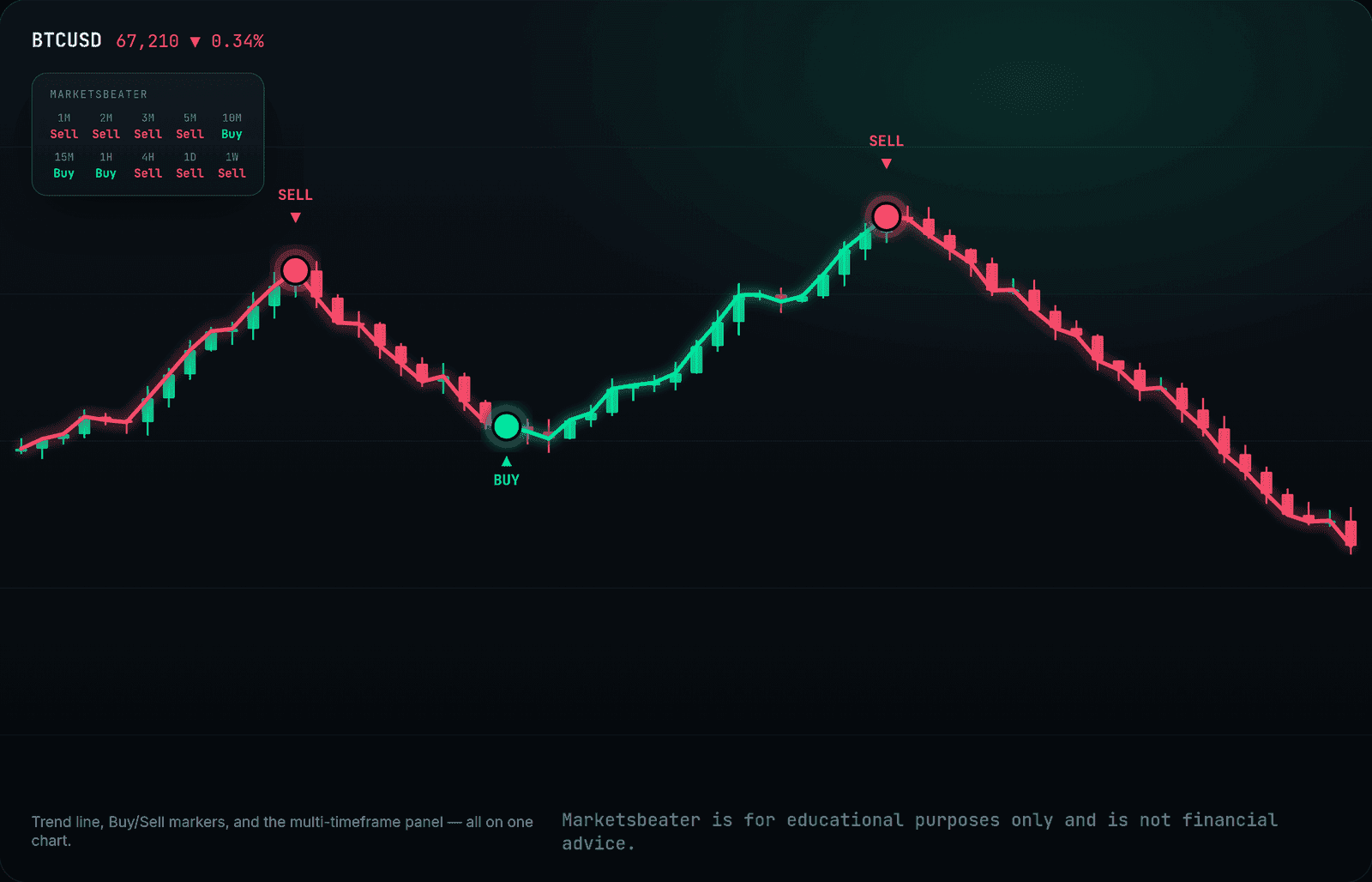
Trading the 15-minute? Marketsbeater's on-chart dashboard shows you exactly what every other timeframe — from the 1-minute all the way to the weekly — is signaling right now, buy or sell. You instantly see whether the whole market lines up with your trade, without flipping through a single chart.

  • See 1 minute through 1 week line up at a glance
  • Know when the trend agrees across timeframes
  • Always visible, right on your chart
Marketsbeater
1MSell
2MSell
3MSell
5MSell
10MBuy
15MBuy
1HBuy
4HSell
1DSell
1WSell

Live on your chart — every timeframe, always visible.

The full picture

Everything in one view

Marketsbeater on a chart — trend line, Buy/Sell markers, and the multi-timeframe panel

Go feel more confident
in the markets.

Get access →
Our story

Why we built Marketsbeater™

We're Zach and Dan, and between us we've been trading for over 20 years. For the first five, we did what just about every trader does — we went looking for the “holy grail.” We piled indicator on top of indicator and chased every tool that claimed to have the market figured out. We never found it, because the truth is it doesn't exist.

What we did find was a mess. Our charts got so crowded with overlays that we could barely see the candles underneath — and even with all of it, no tool could tell us what the trend was actually doing across multiple timeframes at a glance. To read the bigger picture we were constantly flipping between the 5-minute, the hourly, the daily, never seeing it all on one screen.

So we flipped the goal on its head. Instead of ten indicators fighting for space, we set out to build a single, all-in-one trend tool — one clean layer that reads the trend on every timeframe and puts it on one screen. After five long years of trading, testing, and refining, that idea became Marketsbeater.

We built it for our own charts first. Once we saw how much clearer it made our trading, we knew we wanted to put it in front of the world.

— Zach & Dan, founders of Marketsbeater

Get set up in minutes

How you get access

Marketsbeater runs inside TradingView. Subscribe, link your username, and it's on your charts.

1

Subscribe

Pick monthly or annual and check out securely with Stripe. Takes about a minute.

2

Link your TradingView

Paste your TradingView username in your dashboard. That's the only detail we need.

3

Trade with it

We grant access to the invite-only script and it appears in your Indicators list. Add it to any chart.

Watch

See the full setup, start to finish

Nothing out there is 100% right — so stop looking for it. What you can find is a great tool that changes the way you see the trends.

Pricing

The only indicator you'll ever need.

One simple plan. Cancel anytime.

Marketsbeater™ Pro
$49/ month
Billed monthly · cancel anytime
  • Full Marketsbeater indicator on TradingView
  • Real-time buy / sell / trend signals
  • Works on every market & timeframe
  • Setup guide + ongoing updates
  • Cancel anytime, keep access to period end
Get access →

7-day free trial, then billed automatically at the price above. Cancel anytime — no refunds after the trial period. Marketsbeater is an analytical tool, not financial advice. By subscribing you agree to our Terms and Refund Policy.

Secure checkout via Stripe · No hidden fees
Questions

Good to know

No. Marketsbeater works on a free TradingView plan. A paid TradingView subscription only adds their own features like more indicators per chart — it isn't required to run ours.

Usually within minutes. Once you link your TradingView username in your dashboard, we grant access to the invite-only script and it shows up under your Invite-only scripts in TradingView.

Any symbol on TradingView — stocks, futures, crypto, forex — across every timeframe. Traders commonly run it on the timeframe that matches their style, from scalping to swing.

No. Signals are fixed once the bar closes — what you see historically is what would have printed live. One honest nuance that follows from this: because a signal confirms when its bar closes, an entry naturally comes after the trend has already started turning. That's the trade-off for signals that never redraw — we think it's the right one.

On purpose. TradingView's vendor rules and U.S. regulators heavily restrict marketing trading tools with win rates, profit figures, or hypothetical results — and for good reason: those numbers are easy to cherry-pick and easy to abuse. Vendors who plaster '90% win rate' on their sites are the ones to be skeptical of. Instead of asking you to trust our numbers, we give you a 7-day free trial so you can test Marketsbeater on your own charts, your own markets, and your own timeframes — and judge it yourself before paying anything.

Anytime, from your dashboard. You keep access through the end of your billing period.

No. Marketsbeater is a charting tool that helps you analyze price. It doesn't place trades or give personalized advice. You're always responsible for your own decisions and risk.

Trade your next setup with a plan.

Get Marketsbeater on your charts today.

Get access →

Not ready to subscribe?

Get occasional trade setups and launch updates. No spam, unsubscribe anytime.